
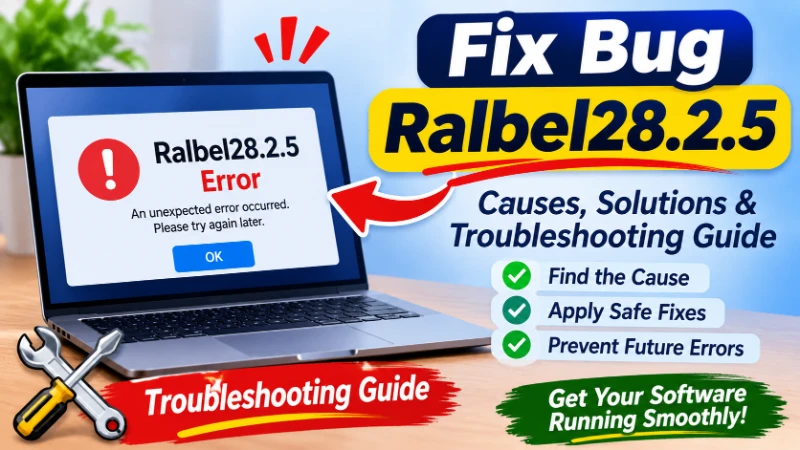
Fix Bug Ralbel28.2.5: Causes, Solutions, and Troubleshooting Guide
Unexpected software errors can interrupt daily activities, delay important projects, and make applications difficult to use. If you are searching for ways to fix bug ralbel28.2.5, understanding the possible causes is an important first step. Although online articles associate this identifier with crashes, installation failures, freezing, and compatibility problems, its exact software identity has not been independently verified.
Therefore, users should avoid assuming that every reported symptom has the same cause. Instead, start by identifying the application displaying the message. Additionally, review recent software updates, check system requirements, and examine available error logs to understand what went wrong.
This troubleshooting guide explains the possible symptoms, common software problems, and practical solutions. Moreover, it covers important security precautions that can help protect your computer while investigating unfamiliar errors. Whether you use Windows or macOS, these steps provide a sensible starting point.
What Is Ralbel28.2.5 and Why Does It Cause Errors?
Ralbel28.2.5 is a software-related identifier mentioned in online troubleshooting articles. However, its exact connection to a particular application, developer, or officially documented software release remains unclear.
Some online descriptions associate the term with application crashes, installation difficulties, performance issues, and unexpected error messages. Nevertheless, these reports do not establish a verified technical explanation.
A version number such as 28.2.5 can represent different things depending on the software developer’s numbering system. For example, it might identify an application release, an internal build, or a particular software component.
Consequently, the identifier alone cannot confirm the underlying problem.
Before attempting any repair, identify the application displaying the message. Furthermore, record the complete error notification because additional details can help distinguish an application-specific issue from a general computer problem.
Common Symptoms Associated With the Fix Bug Ralbel28.2.5
Although the exact defect remains unverified, several online troubleshooting descriptions mention similar software-related symptoms. Understanding these problems can help users investigate their systems more effectively.
1. Unexpected Application Crashes
An application may suddenly close while opening a file or performing a particular task. Similarly, repeated crashes can interrupt ongoing work and prevent users from accessing important features.
Possible causes include corrupted files, insufficient memory, incompatible extensions, and software conflicts. Therefore, checking recent application changes can help identify potential problems.
2. Installation and Update Failures
Installation problems can occur when an application cannot complete its setup process. For instance, an installer might stop responding, display an error message, or fail during an update.
Additionally, insufficient storage, restricted permissions, and incompatible software versions can contribute to installation difficulties.
3. Slow Performance and Freezing
Some troubleshooting descriptions mention applications becoming unresponsive or taking longer to complete basic tasks.
However, these symptoms do not necessarily indicate a problem with one particular software version. High CPU usage, limited memory, and unnecessary background processes can also affect performance.
4. Compatibility and Plugin Conflicts
Software applications often depend on extensions, plugins, and external components. Consequently, an incompatible extension may prevent certain features from working correctly.
For example, a plugin designed for an older application version might stop functioning after an update. Therefore, reviewing compatibility requirements is important.
5. Repeated Error Notifications
An unfamiliar error identifier may appear during application startup, installation, or normal usage.
In such situations, the complete notification is more useful than the version number alone. Moreover, checking diagnostic logs can reveal additional information about the affected process.
How to Fix Bug Ralbel28.2.5: 7 Practical Solutions
There is no independently verified Ralbel-specific repair procedure available. However, the following troubleshooting methods can help investigate common software problems safely.
1. Identify the Source of the Error
First, determine which application or process generated the message.
Check whether the notification appeared during startup, installation, an update, or normal application use. Additionally, record your operating system and application version.
If possible, take a screenshot of the complete notification. As a result, you will have useful information when searching official documentation or contacting technical support.
2. Restart the Application and Computer
A simple restart can sometimes resolve temporary software conflicts.
First, save your work and close the affected application. Next, check whether related background processes remain active. Finally, restart your computer and open the application again.
Although this method cannot repair every underlying problem, it provides a useful starting point before attempting more advanced solutions.
3. Check for Official Software Updates
Outdated applications can develop compatibility problems with newer operating systems, drivers, or dependencies.
Therefore, visit the developer’s official website or use the application’s built-in update feature to check for available releases.
Before installing anything, review the release notes and system requirements. Furthermore, make sure the update comes from a legitimate source.
If you cannot identify the original developer, avoid downloading unofficial patches claiming to repair this specific error.
4. Check CPU and Memory Usage
Limited system resources can affect application performance. Fortunately, Windows and macOS include built-in utilities that help users monitor resource consumption.
Windows users can follow these steps:
- Press Ctrl + Shift + Esc to open Task Manager.
- Select the Processes tab.
- Review applications using unusually high CPU or memory.
- Close unnecessary applications after saving important work.
- Restart the affected software and check its performance.
Similarly, Mac users can open Activity Monitor to review CPU, memory, and disk usage.
If resource consumption remains unusually high, investigate the responsible process instead of terminating unfamiliar system services.
5. Verify Software Compatibility
Software compatibility depends on operating system requirements, hardware specifications, and installed dependencies.
For example, an older application may not support a recently updated operating system. Similarly, incompatible plugins can interrupt normal application operations.
Therefore, review the developer’s documented requirements before changing compatibility settings. Additionally, check whether recently installed extensions support your current application version.
6. Inspect System Error Logs
System logs can provide useful diagnostic information when an application repeatedly crashes or fails to start.
Windows users can open Event Viewer and review the Application and System logs. Meanwhile, macOS users can examine relevant reports through Console.
Look for the following information:
- Error timestamps.
- Application names.
- Failed processes.
- Component identifiers.
- Dependency-related messages.
- Repeated warnings.
Furthermore, compare the error timestamps with recent software changes. This can help identify patterns and narrow down possible causes.
7. Reinstall the Affected Application
If the application continues to malfunction, reinstalling it may help repair corrupted installation files.
However, this should not be your first troubleshooting step. Before proceeding, back up important documents, settings, and project files.
Next, download a fresh installer from the verified developer’s website. Then remove the affected application using its supported uninstallation process and install the legitimate replacement.
Most importantly, avoid reinstalling unidentified software or downloading unofficial repair packages.
What Causes Similar Software Errors? Fix Bug Ralbel28.2.5
Understanding common technical problems can make troubleshooting easier. Although no specific cause has been confirmed for this identifier, several general issues can produce similar symptoms.
Corrupted Application Files
Unexpected shutdowns, incomplete updates, and storage problems can damage application files. As a result, certain features may stop working correctly.
Incompatible Software Dependencies
Applications often rely on external libraries, frameworks, and system components. Therefore, an incompatible dependency can interrupt normal operations.
Outdated Hardware Drivers
Graphics, network, and other hardware drivers help applications communicate with computer components. However, outdated or incompatible drivers can sometimes cause performance problems.
Incorrect Configuration Settings
Changes to application permissions, configuration files, or system settings may affect software behavior. Similarly, restoring an outdated configuration can introduce conflicts after an update.
Insufficient System Resources
Applications require memory, processing power, and storage to operate properly. Consequently, limited resources can contribute to freezing, slow responses, and unexpected shutdowns.
How to Prevent the Fix Bug Ralbel28.2.5 Software Problem
Although every technical problem cannot be prevented, regular maintenance can reduce the likelihood of recurring software errors.
Keep applications updated: Install legitimate updates after reviewing their compatibility and release information. This helps maintain a supported software environment.
Create regular backups: Save important documents and application configurations before major updates. As a result, recovering your information becomes easier if something goes wrong.
Avoid unofficial downloads: Always obtain installers, patches, and plugins from trusted sources. Otherwise, unknown files could introduce malware or unwanted applications.
Monitor system performance: Regularly review CPU, memory, and storage usage. Additionally, investigate unusual background activity before it affects other applications.
Check compatibility requirements: Before installing new software, confirm that your operating system and hardware meet the documented requirements.
Maintain error records: Save complete notifications, timestamps, and relevant diagnostic logs. Consequently, identifying recurring problems becomes easier.
Is Fix Bug Ralbel28.2.5 a Confirmed Software Release?
There is insufficient reliable evidence to establish Ralbel28.2.5 as a recognized commercial software release or officially documented defect.
Although several websites discuss this identifier, their explanations differ. Some mention application crashes and installation problems, while others suggest compatibility, dependency, or performance issues.
However, these descriptions do not establish a common technical cause.
A confirmed software release normally has identifiable supporting information, such as an official developer, product documentation, release notes, or a recognized issue tracker.
Therefore, users should treat the identifier as unverified until it can be connected to an actual application or software component.
Is It Safe to Download a Fix Bug Ralbel28.2.5 Repair Tool?
Searching online for an unfamiliar error can lead to websites offering downloadable patches or repair utilities. Nevertheless, not every advertised solution is legitimate.
Before downloading anything, follow these precautions:
- Verify the software publisher and official website.
- Check whether the proposed update includes legitimate release notes.
- Review the file’s digital signature when available.
- Scan downloaded files using reputable security software.
- Avoid executable files from unknown websites.
- Never share passwords or sensitive information with unfamiliar support services.
Furthermore, never disable antivirus protection simply to install an unidentified repair package.
If the original application cannot be identified, finding its legitimate source should take priority over installing a supposed fix.
Final Thoughts
Unfamiliar software identifiers can make troubleshooting confusing, particularly when online explanations provide different technical details. Ralbel28.2.5 is one such term that requires careful investigation because its official software identity and specific defect have not been reliably established.
Instead of relying on unverified repair instructions, start by identifying the affected application, recording the complete error message, and reviewing recent software changes. Additionally, checking system resources, application compatibility, and diagnostic logs can help narrow down possible causes.
Ultimately, the safest way to fix bug ralbel28.2.5 is to verify its source before making system changes. By using trusted downloads, maintaining backups, and following documented troubleshooting procedures, users can investigate technical issues while protecting their devices and important information.
Frequently Asked Questions (FAQs)
1. What Is Fix Bug Ralbel28.2.5?
Ralbel28.2.5 is a software-related identifier mentioned in online troubleshooting articles. However, its connection to a specific application or officially documented release has not been independently verified.
2. What Causes the Ralbel28.2.5 Error? Fix Bug Ralbel28.2.5
There is no confirmed universal cause. However, general software problems can involve corrupted files, incompatible dependencies, configuration issues, or insufficient system resources.
3. How Can I Fix Bug Ralbel28.2.5 Safely?
Start by identifying the application displaying the message. Then review the complete error, check official updates, inspect system resources, and investigate relevant diagnostic logs before attempting further repairs.
4. Is Fix Bug Ralbel28.2.5 a Virus?
There is no verified evidence establishing this identifier as a virus. Nevertheless, if it appears alongside an unfamiliar executable or suspicious download, scan the file and investigate its publisher before opening it.
5. Can Outdated Software Cause Similar Errors?
Yes. Outdated applications may have compatibility problems with newer operating systems, drivers, or dependencies. Therefore, checking official updates is a useful troubleshooting step.
6. Should I Download a Fix Bug Ralbel28.2.5 Repair Tool?
Avoid downloading unverified repair utilities. Instead, identify the original application and obtain updates or troubleshooting instructions directly from its legitimate developer.
7. Can Reinstalling Software Resolve Unexpected Errors?
Yes. Reinstalling can sometimes repair corrupted application files. However, back up relevant data and use a verified installer before proceeding.
8. How Can I Prevent Similar Software Errors?
Keep applications updated, maintain regular backups, monitor system resources, and avoid unofficial downloads. Additionally, review compatibility requirements before installing new software.



Leave a Reply